
There's an app for everything. But which ones do you really need? With so much of our daily activities happening online, it makes sense to have an app that monitors your internet functionality.
Our WiFi 7 router app puts you in control of your connectivity by allowing you to manage all the devices on your network, check bandwidth and speed, set parental controls and update your router as needed.
1. See every connected device and visualize your whole network
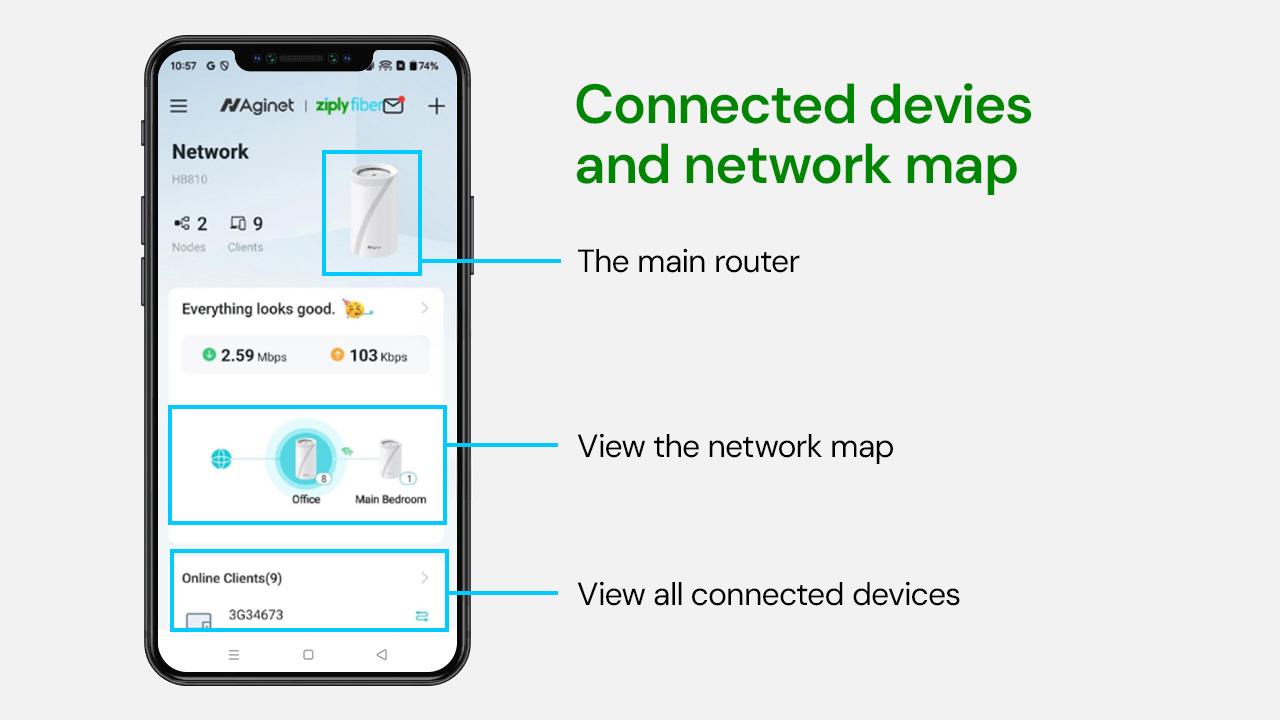
Open the app and you instantly see everything connected to your network.
Phones. TVs. Laptops. Game consoles. Smart speakers. Appliances. Even that Samsung dishwasher.
You can see:
- Every device currently online
- Whether each device is wired or wireless
- Exactly how much bandwidth each device is using
- Your main router and any extenders
- Which devices are connected to each access point
It is like having a control panel and live map for your entire digital home, all in one place.
2. Block any device in seconds
See something unfamiliar or just do not want a certain device online?
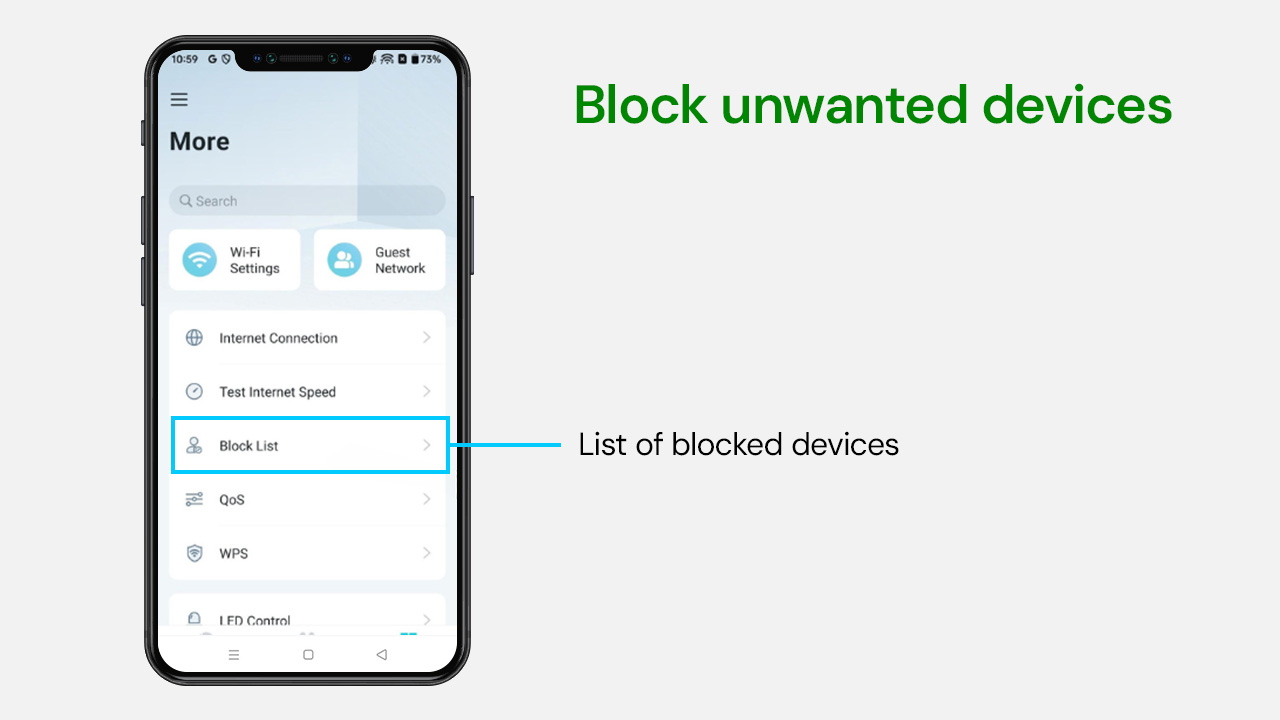
Tap it. Add it to your block list. Done.
Whether it is an unknown device or a smart appliance using more bandwidth than you would like, you are in control. Once blocked, it cannot reconnect to your network.
No calls. No complicated settings. Just control.
3. Find out what is slowing you down
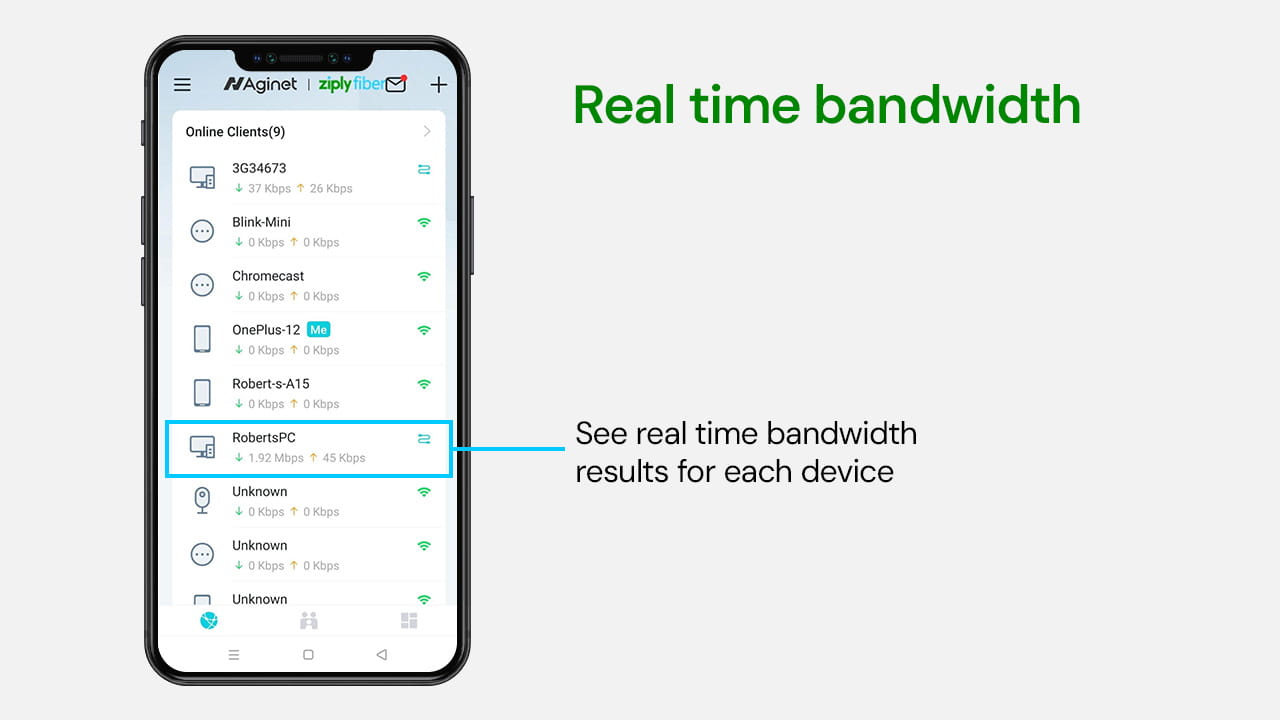
Does your internet feel slow?
Instead of rebooting everything and hoping for the best, you can see exactly what is happening.
The app shows:
- Real-time bandwidth usage per device
- Total bandwidth being used across your network
If one device is consuming a large portion of your connection, you will know immediately. No more mystery slowdowns.
4. Check signal strength in every room
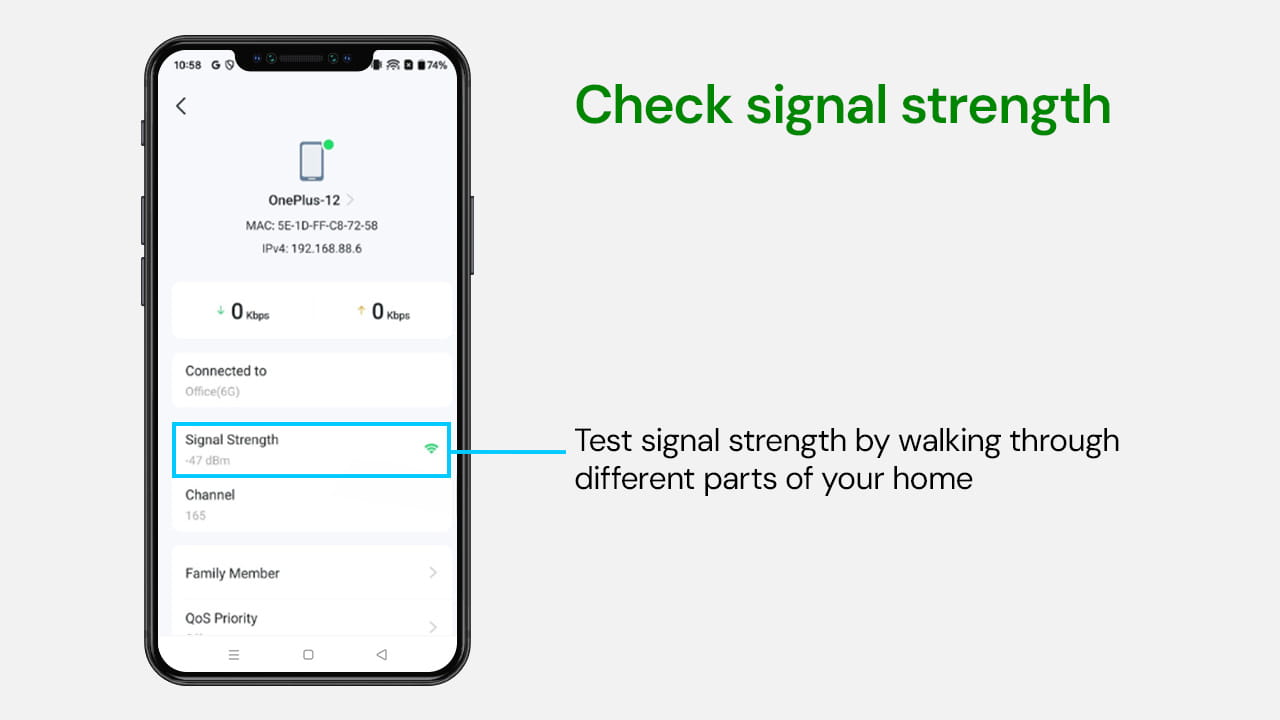
Walk through your home and see how strong your signal is in real time.
Tap on a device and you can view:
- Signal strength
- Which WiFi band it is connected to
- The maximum speed it can reach
You can move around your house and watch signal performance change, making it easy to optimize the placement of your router or extenders.
5. Prioritize what matters most with Quality of Service
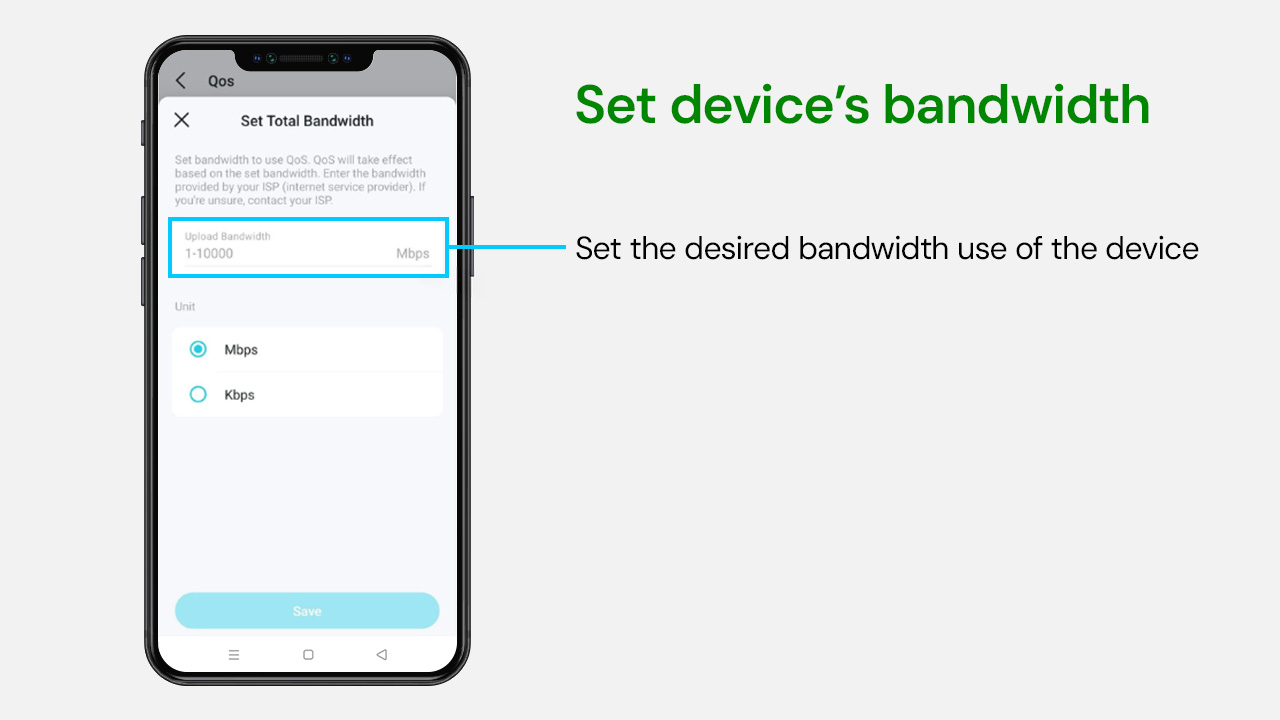
Not all devices are equal.
With Quality of Service, you can assign priority levels:
- High priority for work laptops or gaming PCs
- Medium for everyday use
- Low for smart devices or background devices
This keeps important activities like video calls and gaming running smoothly, even when the whole house is online.
6. Run a true speed test from the router
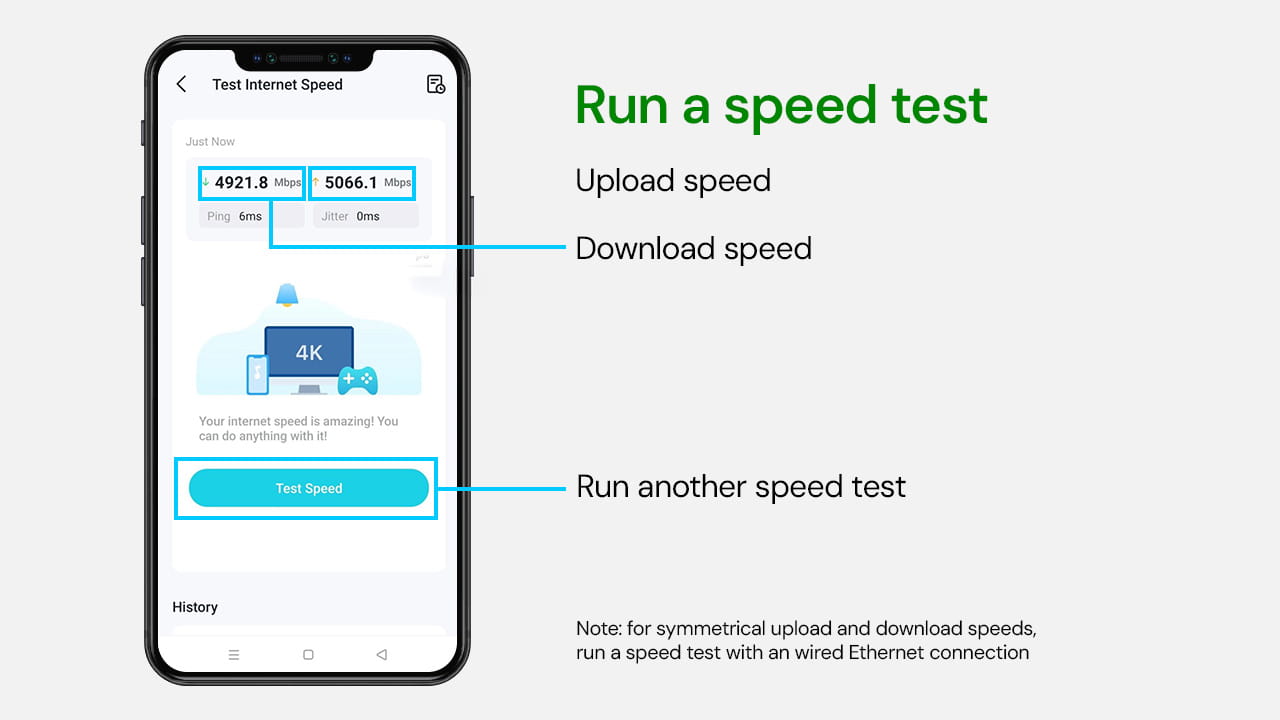
Most speed tests check your phone or laptop.
This one tests your router directly.
That means you are seeing the actual speed your router is receiving and distributing.
If your router speed looks great, but your phone is slow, you instantly know it is a device or signal issue, not your internet plan.
That is clarity most people never get.
7. Set parental controls and guest limits
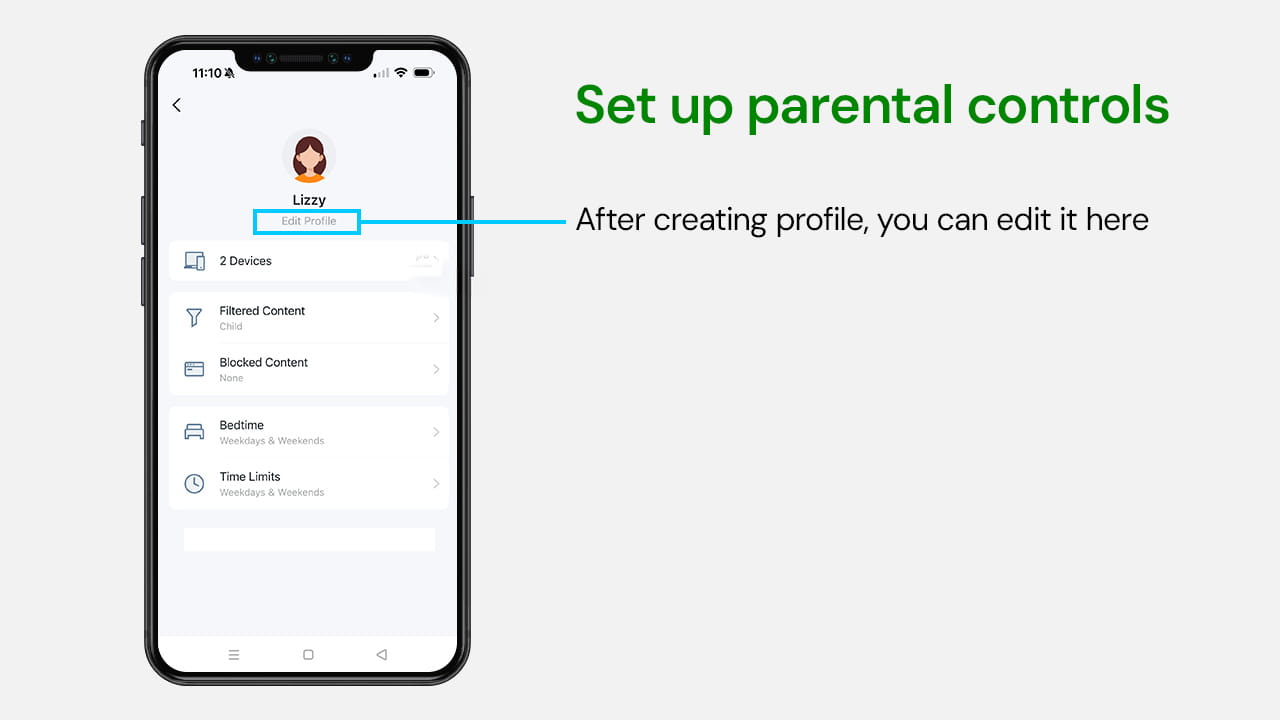
Under the family settings, you can:
- Create profiles by age range
- Assign devices
- Set bedtime schedules
- Apply content filters
- Limit screen time
You can adjust or remove profiles anytime. It is flexible, simple, and built into the system with no extra apps required.
8. Managed Router means automatic updates
Here is something most people do not think about: router updates.
With Managed Router service, updates are tested before being pushed out. You do not have to guess which firmware version to install or risk breaking something.
It is handled for you.
Your router stays secure and optimized without you needing to lift a finger.
We hope that helps give a bit of insight into the Ziply Fiber WiFi 7 app and how it can help streamline your connectivity – putting you in control of functionality, usage, technical updates and home management.
Ready to switch to Ziply Fiber? Now with simplified pricing, our state-of-the-art WiFi router is included with your internet plan. Visit ziplyfiber.com/internet to choose the plan that's right for you.